Introduction
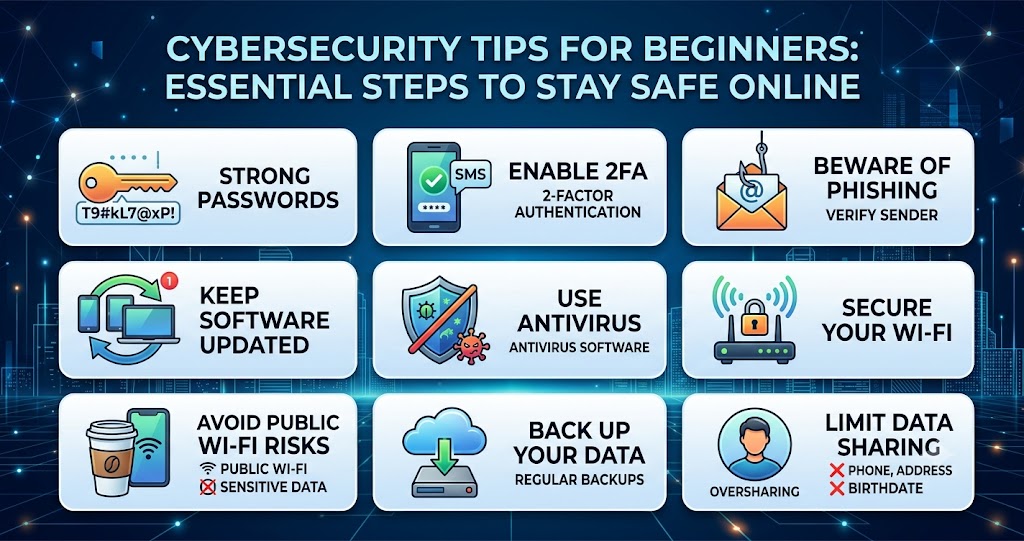
Cybersecurity is no longer just a concern for businesses and IT professionals. Every internet user faces risks such as phishing scams, malware attacks, identity theft, and data breaches. As our daily lives become more connected through smartphones, laptops, and online accounts, learning basic cybersecurity practices is essential.
This guide covers practical cybersecurity tips for beginners that can help protect your personal information, devices, and online accounts from common threats.
Why Cybersecurity Matters
Cybercriminals constantly look for opportunities to steal data, passwords, and financial information. Even a simple mistake, such as clicking a malicious link, can expose sensitive information.
Strong cybersecurity habits help you:
- Protect personal data
- Prevent identity theft
- Secure financial accounts
- Avoid malware infections
- Browse the internet safely
Developing good security habits early can significantly reduce online risks.
Use Strong and Unique Passwords
Passwords are your first line of defense.
Tips for Creating Strong Passwords
- Use at least 12 characters
- Combine uppercase and lowercase letters
- Include numbers and symbols
- Avoid personal information
- Use a different password for each account
| Weak Password | Strong Password Example |
| Password123 | T9#kL7@xP4!mQ |
| John1995 | V7!sR3@pL8#x |
Pro Tip: Consider using a password manager to securely store and generate strong passwords.
Enable Two-Factor Authentication (2FA)
Two-factor authentication adds an extra layer of protection.
Even if someone steals your password, they cannot access your account without the second verification step.
Common 2FA methods include:
- Authentication apps
- SMS verification codes
- Security keys
This simple feature dramatically improves account security.
Be Careful with Emails and Links
Phishing attacks are one of the most common cyber threats.
Before clicking any link:
- Verify the sender’s email address
- Check for spelling mistakes
- Avoid unexpected attachments
- Confirm suspicious requests directly
Common Signs of Phishing
| Warning Sign | Description |
| Urgent Language | “Act Now” or “Account Suspended” |
| Unknown Sender | Unrecognized email address |
| Suspicious Links | URLs that look unusual |
| Requests for Personal Data | Password or banking details |
Expert Insight: A common bottleneck for beginners is trusting emails that appear legitimate. Always verify before clicking.
Keep Software Updated
Software updates often include important security patches.
Regularly update:
- Operating systems
- Browsers
- Mobile apps
- Antivirus programs
Cybercriminals frequently target outdated software with known vulnerabilities.
Enable automatic updates whenever possible.
Use Reliable Antivirus Software
Antivirus software helps detect and remove threats before they cause damage.
A quality security solution can protect against:
- Malware
- Ransomware
- Spyware
- Trojans
While antivirus software is valuable, it should complement safe online behavior rather than replace it.
Secure Your Wi-Fi Network
Your home network can become an entry point for cyber attacks if left unsecured.
Wi-Fi Security Best Practices
- Change the default router password
- Use WPA3 or WPA2 encryption
- Disable unnecessary features
- Regularly update router firmware
A secure network helps protect all connected devices.
Avoid Public Wi-Fi Risks
Public Wi-Fi networks in cafes, airports, and hotels can expose your data.
When using public Wi-Fi:
- Avoid online banking
- Don’t access sensitive accounts
- Use a VPN when possible
- Turn off automatic connections
These precautions reduce the risk of data interception.
Back Up Important Data
Data loss can occur because of cyber attacks, hardware failures, or accidental deletion.
Back up important files using:
- External hard drives
- Cloud storage services
- Automated backup solutions
Regular backups ensure you can recover critical information if something goes wrong.
Limit Personal Information Sharing
Oversharing online can make you a target for cybercriminals.
Be cautious when posting:
- Home addresses
- Phone numbers
- Birth dates
- Financial information
The less personal information available publicly, the harder it becomes for attackers to exploit it.
Common Cybersecurity Mistakes Beginners Make
Avoid these common errors:
- Reusing passwords
- Ignoring software updates
- Clicking suspicious links
- Using unsecured Wi-Fi
- Not backing up data
Correcting these habits significantly improves online security.
Frequently Asked Questions
1. What is cybersecurity?
Cybersecurity is the practice of protecting devices, networks, and data from digital attacks and unauthorized access.
2. Why are strong passwords important?
Strong passwords make it much harder for attackers to gain access to your accounts through guessing or automated attacks.
3. Is antivirus software enough for protection?
No. Antivirus software should be combined with safe browsing habits, software updates, and strong authentication methods.
4. What is two-factor authentication?
Two-factor authentication requires a second verification step in addition to your password, making accounts more secure.
5. How often should I update my devices?
You should install updates as soon as they become available to ensure the latest security protections are applied.
Take Control of Your Online Security Today
Following these cybersecurity tips for beginners can significantly reduce your risk of online threats. Start with strong passwords, enable two-factor authentication, stay alert for phishing attempts, and keep your devices updated.
Small security improvements made today can protect your personal information and give you greater confidence when using the internet.